


An image on a website can contain essential information. For assistive technologies used by blind or partially sighted people, this information only exists if it has been put into text. A screen reader, for example, reads what is written, not what is shown. This is the principle of image accessibility: to make visible, in the form of a textual description, what an image shows.
In many organisations, this image captioning is still treated as a purely technical rule. In reality, it also involves editorial work: transcribing the role of the image in the understanding of content for users who are not navigating visually.
Why image accessibility goes beyond technicalities, how to describe an image, and how to integrate image accessibility rules into editorial processes: Pépinia tells you more in this article.
Image alternatives in accessibility: what are they?
Image alternative (sometimes simply called «alt», after the HTML attribute used in the code) is the text alternative for an image. It is not normally visible by default but appears if the image fails to load, for example. Assistive technologies used by blind or visually impaired people, such as screen readers, other voice tools, and braille displays, enable this alternative to be presented if it exists. A correctly written text alternative allows them to access the image's content in the same way as other users.
The correct completion of these image alternatives is part of one of the many criteria for The General Accessibility Improvement Repository – which forms the applicable regulatory framework for public websites in France and is a benchmark for many private organisations. A non-compliant criterion on this point can be sufficient to generate a non-conformity within the framework of an audit.
Why and how to formalise image qualification in an organisation
Integrating an image into a digital interface involves several professions. at distinct moments: design, development, publication. However, none of these moments are subject to explicit responsibility for accessibility qualification. Without a clear framework to guide these choices, practices can vary from one team to another and from one project to another. The same errors then gradually reappear, even after an audit or RGAA compliance.
Raising team awareness of accessibility is a first step but insufficient to harmonise concrete decisions. Ensuring the long-term accessibility of images requires to structure editorial production and to formalise a shared framework between teams.
To formalise this shared framework, different formats can be considered: rules that appear in the CMS and publishing interfaces, in templates and content models…
The main thing is to document these rules around image alt tags and for the relevant teams to be able to refer to them quickly on a daily basis.
In the majority of organisations, The decision of who should fill in the alt text for images remains implicit. Guiding teams with rules that are understandable by everyone helps to unify practices and ensure good compliance with the image criterion over time.
Rules to define for image accessibility
For any type of image added by the content teams, the teams should be sufficiently guided to be able to answer these three questions:
1- Is my image decorative or informative?
2- Si le texte alternatif est nécessaire : quel est le maximum number of characters for writing it and what information should it provide?
3- Are there any exceptions? If yes, when does the default rule not apply and provide examples. These documented exceptions prevent contributors from dealing with them on a case-by-case basis without a common reference.
Tips and case studies
The rules for content teams to support image accessibility must be contextualised. They need to start from the actual content produced (e-commerce site, news site, etc.) and define the expected treatment for each situation.
The following examples start from the types of content regularly produced by organisations. For each, the expected processing rule is specified, accompanied by concrete examples that enable contributors to apply it unambiguously. They do not constitute an exhaustive list but a model that can be transposed to other editorial contexts.
Images illustrating news and content
In a list of items – news, resources, events – each entry generally includes an image, a title, and a summary. The default rule could be that these images are decorative. The title and summary are sufficient to understand the subject, and the image serves a visual appeal function without providing additional information.
The exception applies when the image bears information absent from the text: a photograph identifying the location of an event not mentioned in the title, a visual showing a result or a state that the text does not describe.
The rule to be documented could be phrased as follows: «Images in news lists are decorative, unless they provide information – a place, person, or outcome – that the headline and summary do not mention.»
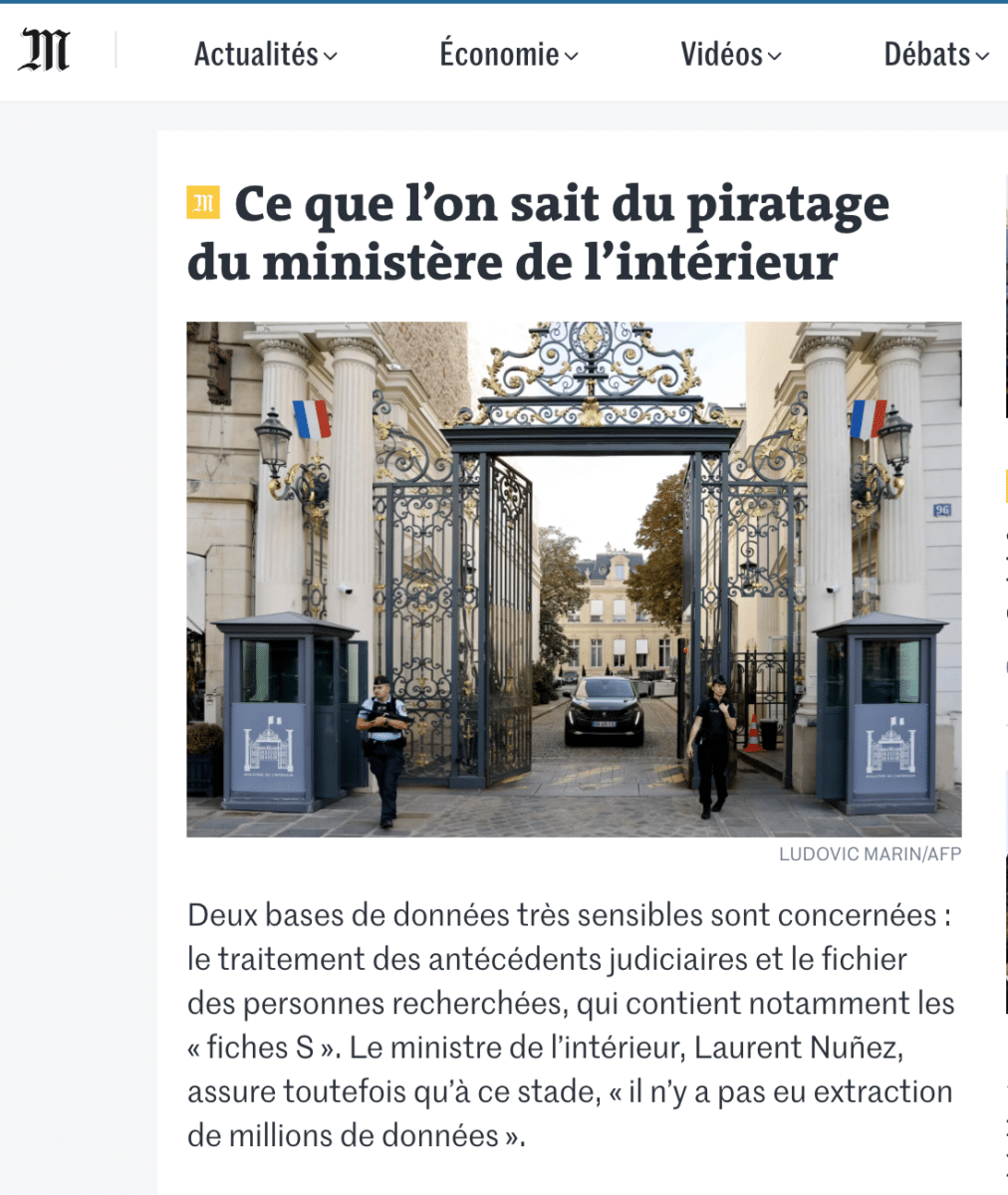
Illustrative photo of a news article about the hacking of the Ministry of the Interior, not requiring an alt tag.
Institutional pages and branded content
Atmospheric, staging, or visual background images are generally decorative.
Identified portraits (team, speakers, partners) are informative and should identify the person depicted, provided this information is not already supplied by adjacent text.
Product sheets and detailed content pages
In the context of product sheets or detailed content pages, images often play a direct informational role: they show a detail, illustrate a step, or identify an element that the text alone cannot adequately describe. The default rule is therefore inverted: these images are informative until proven otherwise.
The alternative text should express what the image specifically contributes. For a product sheet, the alternative text should not repeat the product name – already present in the title – but can specify the angle, the colour, the visible detail that justifies the presence of this image rather than another.
Example of a product sheet
In this example from the Westwing website – an e-commerce site for decoration and furniture – a plate with a foliage print is offered for sale. The pattern is not mentioned in the product description text, nor in the alt text of the images.
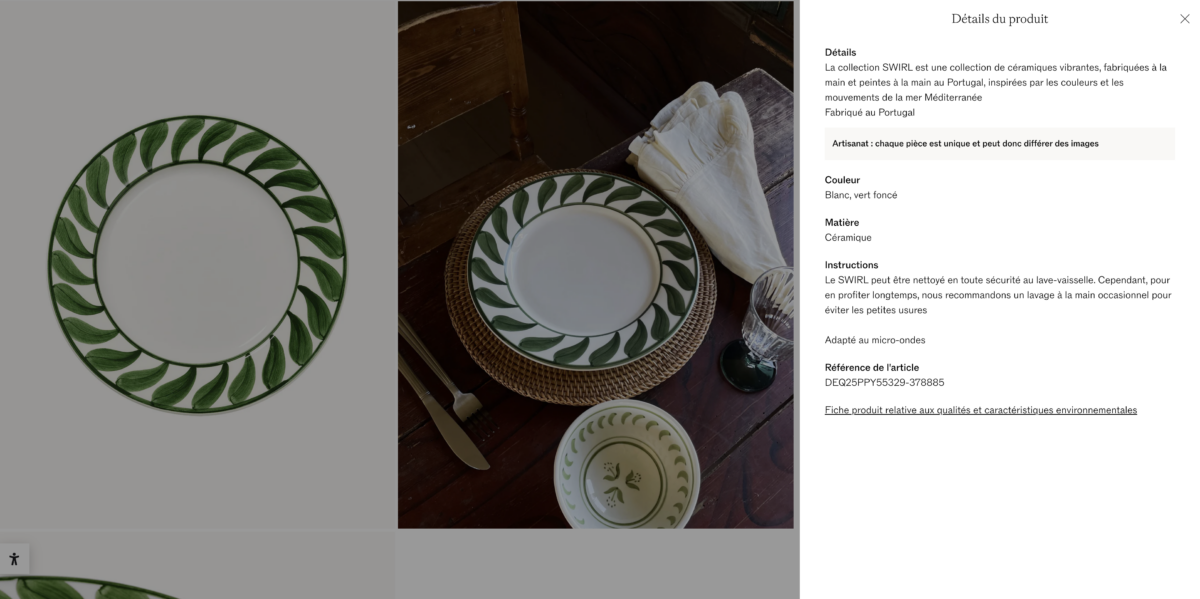
The pattern of the plate is not specified in the description text. Only the colours White and Dark Green are announced.
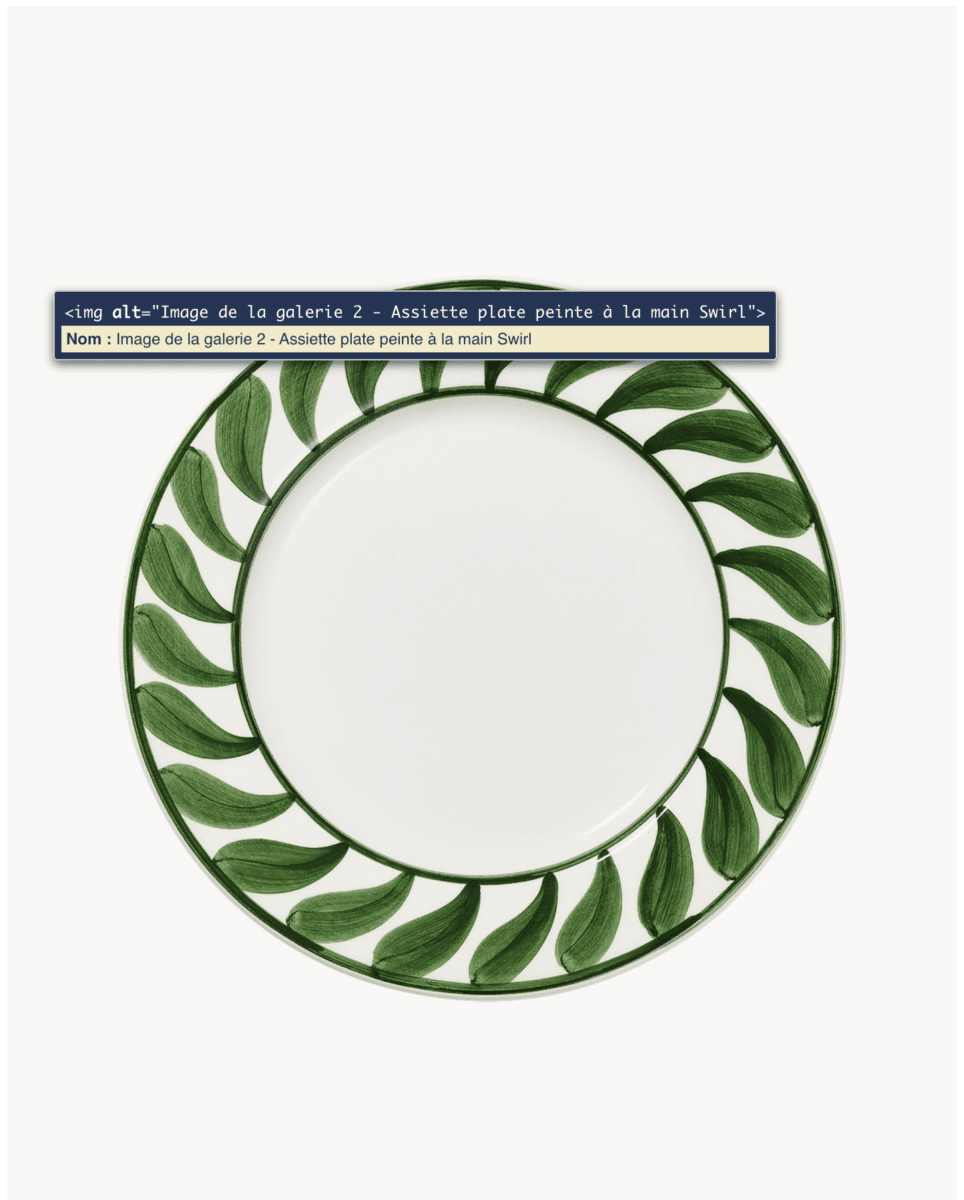
The alternative text provided is «Image of gallery 2 – Hand-painted Swirl dinner plate». The foliage-inspired pattern – information absent from the description text and the image alt – is therefore not conveyed to users of assistive technologies.
Icons accompanying links or buttons
When an icon is alone in an interactive element, it is informative and should describe the action. When visible text accompanies the icon, it is decorative. The tricky case is the «new window» or «external link» pictogram: if the link text does not mention that it opens in a new tab, the pictogram becomes informative.
This rule must be made explicit for teams publishing content with outgoing links or downloadable documents.
The logos
A logo identifies a brand or organisation. The alt text is the brand name, not the word «logo». The exception applies when the brand name is already written out in full in close proximity – in this case, the logo can be treated as decorative to avoid redundancy.
Infographics and data visualisations
Infographics and data visualisations are almost always informative, but their alt text is often written as a visual description («bar chart showing data»). Alt text should convey the main conclusion or piece of information the image is intended to communicate. If the infographic is complex, long text below the infographic or a description in the form of an aria-describedby (structured alt text) may be necessary.
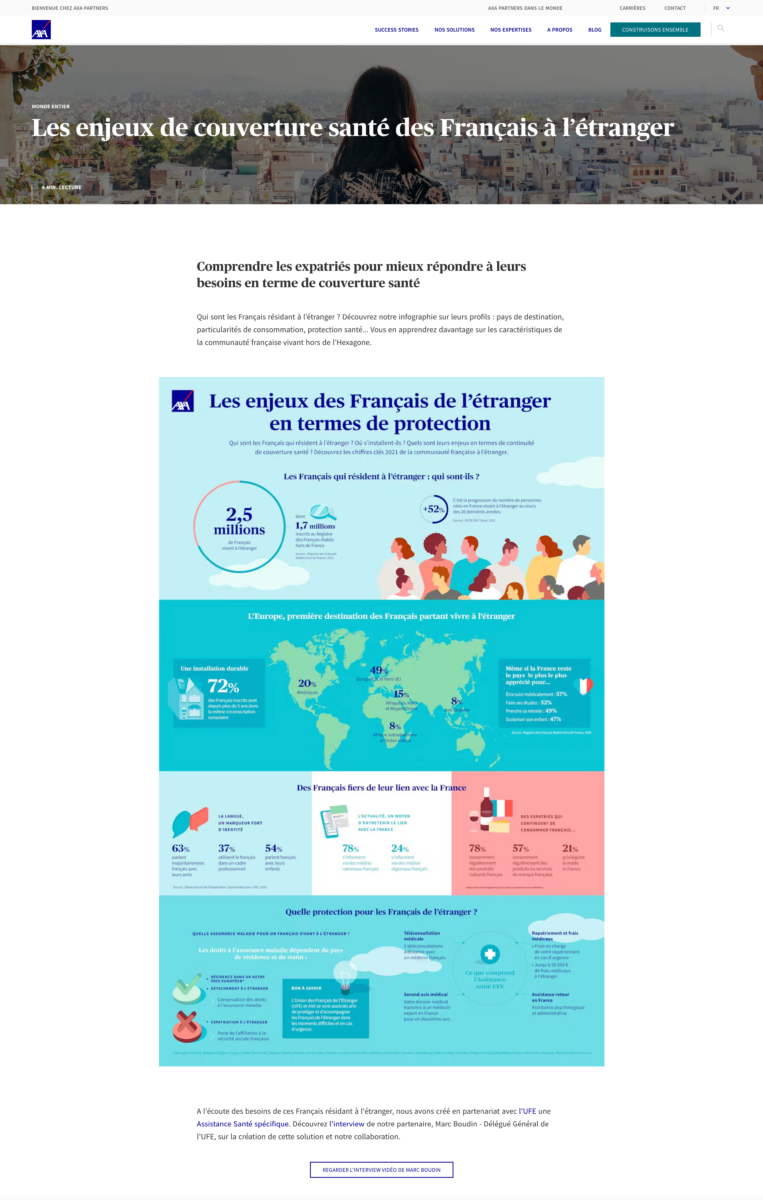
Example: Infographic with statistics. An aria-describedby will be necessary to convey all the information present in this image, otherwise a textual description beneath the infographic.
RGAA compliance for images doesn't maintain itself: it relies on explicit rules, integrated into tools and shared by the teams that produce content on a daily basis. Without a formalised framework, the response varies depending on the stakeholders, constraints, and priorities. An editorial guide helps to stabilise these decisions and embed accessibility into production processes.